Why 80% AI projects fail and how can we avoid this failure while creating an AI chatbot for a Shopify store
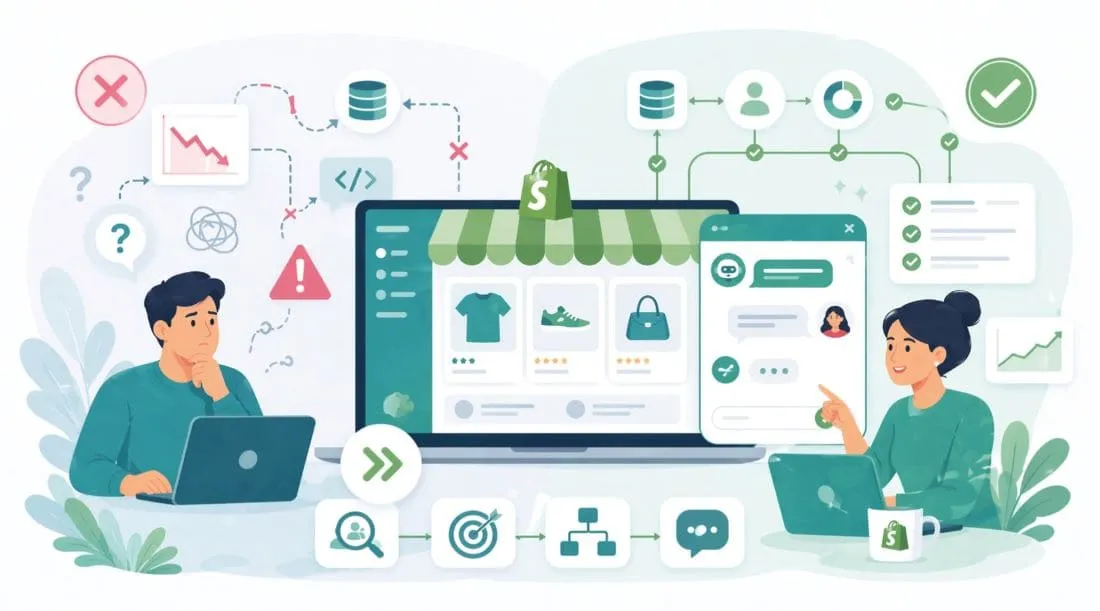
Gartner reported that through 2022, 85% of AI projects failed to deliver on their intended business outcomes. McKinsey puts a similar figure in the range of 70 to 80% for large scale AI deployments. IBM's own data shows that 41% of companies that started an AI project abandoned it before it reached production. These are not fringe statistics pulled from small surveys. They come from institutions that study thousands of companies across dozens of industries.
Yet every week, Shopify merchants are told that an AI chatbots for Shopify will transform their customer service, increase their conversion rates, and reduce their support costs by half. Some of those merchants go on to spend thousands of dollars on a chatbot that either never launches, launches and gets ignored by customers, or launches and actively drives people away from their store.
This article is about why that happens and what you can do differently. We will cover the root causes behind AI project failures, how those causes show up specifically in e-commerce chatbot projects, and a step by step framework for building an AI chatbot for your Shopify e-commerce store that actually works. No jargon, no vague advice, no sales pitch. Just the honest picture backed by research.
Understanding the 80% Failure Rate
What Does Failure Actually Mean?
Before diagnosing the problem, we need to define it. When researchers say an AI project "failed," they don't always mean it crashed and burned on day one. In many cases the project:
-
Was built but never adopted by the intended users
-
Produced results that could not be measured or trusted
-
Solved the wrong problem entirely
-
Ran significantly over budget and was quietly shut down
-
Worked in testing but fell apart with real world data
RAND Corporation's 2024 research on AI deployment in enterprise settings found that only 23% of AI pilots ever make it to full scale production. The jump from a promising demo to a reliable production system is where most projects fail.
The Seven Root Causes of AI Project Failure
1. Starting With the Technology, Not the Problem
This is the most common mistake. A team gets excited about large language models and starts building before it can clearly state the exact business problem it is trying to solve.
The right question is not how do we use AI. The right question is what specific, measurable problem do we need to solve, and is AI the best way to solve it? For any AI chatbot for business, this discipline, problem first, technology second, is what separates the 20% that succeed from the 80% that do not.
2. Dirty, Incomplete, or Irrelevant Data
For a chatbot, data means the information the bot uses to answer questions. If product descriptions are inconsistent, FAQs are outdated, and policies conflict across pages, the chatbot will reflect that mess directly to customers.
Garbage in, garbage out is one of the most reliable predictors of chatbot failure.
3. Unclear Success Metrics
Many companies say they want better customer experience or lower support costs but never define what success actually means in numbers.
Successful AI projects define measurable targets before any code is written.
4. Ignoring the Human Side
A chatbot that your team does not trust will get bypassed. A chatbot that frustrates customers will increase support demand instead of reducing it.
People adoption matters as much as the model.
5. Underestimating Maintenance and Drift
An AI chatbot is not software you deploy and forget. Products change, policies change, customer language evolves, and model performance drifts over time.
Successful deployments plan ongoing review and maintenance before launch.
6. Overcomplicating the First Version
Many failed AI projects try to do too much at once. They want one bot to handle every possible question, every system, every language, and every workflow.
The better approach is to solve one real problem well, then expand.
7. Wrong Tool for the Job
Not every problem needs a large language model. Sometimes a structured FAQ, a search improvement, or a simpler decision tree is enough.
The best solution is the one that matches the complexity of the problem.
How These Failures Show Up in Shopify Chatbot Projects
The Shopify Specific Context
Shopify stores usually want AI chatbots for Shopify to handle high volume questions such as order status, returns, product questions, shipping timelines, discount code queries, and account issues.
These questions are repetitive and heavily dependent on clean store data. That should make chatbot deployment easier, but many Shopify chatbot projects still fail because the implementation ignores the basics.
-
Order status and tracking
-
Return and refund requests
-
Product questions such as sizing, ingredients, compatibility, and availability
-
Shipping timelines and policies
-
Discount code queries
-
Account and login issues
Failure Mode 1: The Bot Does Not Know Your Store
The most frustrating chatbot experience is when a customer asks about a specific product or order and gets a generic answer.
This usually happens because the chatbot is not properly connected to the live Shopify catalog, order data, and customer information.
Failure Mode 2: The Bot Hallucinates
Large language models can produce confident but wrong answers. In e-commerce that can create policy, reputation, and even legal problems.
This failure mode is common when the chatbot is not grounded in verified store data.
Failure Mode 3: The Bot Cannot Handle Escalation
Customers accept chatbots for simple questions, but satisfaction drops fast when they cannot reach a human after the bot fails.
A weak handoff path turns a small problem into a trust problem.
Failure Mode 4: The Bot Ignores Mobile Users
Most Shopify traffic is mobile. If the chatbot feels clumsy or broken on a phone, it fails for the majority of customers.
Mobile chatbot UX requires specific attention, not an afterthought.
Failure Mode 5: The Bot Has No Personality Alignment
If your chatbot sounds disconnected from your brand voice, customers notice.
Brand trust is affected by whether the chatbot feels consistent with the rest of the shopping experience.
The Framework for Building a Shopify AI Chatbot That Works
A chatbot done right takes time and intentional effort, but it is far less work than fixing a failed deployment.
Step 1: Define One Specific Problem to Solve First
Do not try to build an everything bot. Pull your support data and identify the single most common category of question.
Write one measurable outcome for version one, such as reducing order status tickets by 60% within 90 days.
Step 2: Audit Your Data Before You Build Anything
Review your return policy, shipping policy, FAQ content, product descriptions, and backend data as if you were a new employee trying to answer customer questions.
Every inconsistency in your data is a future wrong answer from the bot.
Step 3: Choose the Right Integration Depth
There are three common levels of Shopify chatbot integration: static knowledge, read only live store integration, and transactional action based integration.
Most stores should begin with read only live integration so the chatbot can answer from real order, product, and customer data.
Step 4: Ground Your AI with Verified Sources Only
The chatbot should answer only from approved store data, policies, FAQs, and product information.
Grounding is what reduces hallucination risk and increases trust.
Step 5: Design the Escalation Path Before the Bot Logic
Define what triggers a handoff to a human, how the handoff happens, and what context is passed forward.
A customer should never have to repeat the whole conversation after escalation.
Step 6: Write a Thorough System Prompt
If you are using an LLM based chatbot, the system prompt should define identity, tone, scope boundaries, knowledge sources, escalation triggers, and prohibited behaviors.
A weak system prompt is one of the most common causes of chatbot misbehavior.
Step 7: Test Adversarially Before Launch
Do not only test the expected questions. Try to break the bot with ambiguous, emotional, edge case, and off scope questions.
The goal is to find failures before real customers do.
Step 8: Launch Small, Measure Constantly
Start with a limited rollout or a traffic split and compare key results such as containment rate, escalation rate, customer satisfaction, and ticket reduction.
Do not expect perfection on day one. The first months are for learning and refinement.
Step 9: Plan for the 90 Day Review Cycle
Set 30, 60, and 90 day reviews to analyze escalations, low satisfaction interactions, and missing knowledge sources.
The bot is not a finished project. It is a system you operate.
The Three Common Levels of Shopify Chatbot Integration
-
Static knowledge, where the bot knows FAQs, policies, and product content, but cannot access live order data
-
Read-only integration, where the bot can query live order status, product availability, and customer information
-
Transactional integration, where the bot can take actions such as initiating returns, updating addresses, or cancelling orders
Understanding which level your store actually needs is one of the most important early decisions when evaluating the best AI chatbots for Shopify. Most merchants start with read-only and expand from there.
Choosing the Right Tools for Your Shopify Chatbot
What to Look for in a Shopify Chatbot Platform
-
Native Shopify data integration
-
Grounding or RAG capability
-
Escalation into Shopify Inbox or your helpdesk
-
A useful analytics dashboard
-
Access to the system prompt or behavior configuration
When evaluating the best AI chatbots for Shopify, these are the criteria that separate tools that genuinely help your store from those that look impressive in a demo but underperform in production.
The Build vs Buy Decision
For most Shopify merchants, building a custom chatbot from raw model APIs is not the right first move. It is expensive, slow, and usually harder to maintain.
The better path for most stores is to begin with a Shopify focused platform, get to a working deployment, and only move to custom development if the store truly outgrows platform limits.
How goodChatBot can help
goodChatBot is built to support Shopify stores with a more practical and customized approach. Instead of acting like a one-size-fits-all chatbot, it can be configured around your product catalog, FAQs, policies, support flows, and store-specific requirements.
This helps reduce one of the biggest reasons AI chatbot projects fail, which is poor relevance. When shoppers ask questions, they need accurate answers about products, delivery, returns, recommendations, and other store details. A chatbot that gives vague or wrong responses damages trust.
goodChatBot is designed to reduce that risk by making the chatbot more aligned with your actual store data and customer needs.
It can also help by bringing structure to the implementation process. Rather than thinking of AI as just a chat box on the website, goodChatBot can support the full customer journey, from product discovery and recommendations to FAQs, order-related questions, and customer support.
This makes the goodChatBot more useful to both shoppers and store owners. Customers get faster answers and better guidance. Store teams reduce repetitive support work and can focus on the more complex conversations that still need human attention.
Another important reason AI projects fail is lack of monitoring and improvement after launch. A chatbot should not be treated as something you install once and forget. It needs ongoing review, testing, and refinement.
goodChatBot can help here as well by making it easier to review performance, identify weak answers, improve content sources, and tune the chatbot over time.
In simple terms, goodChatBot can help Shopify stores avoid common AI failure points by focusing on customization, relevant store data, better customer conversations, and continuous improvement. That is the difference between launching an AI chatbot that only sounds impressive and building one that actually helps your business grow.
What a Successful Deployment of an AI Chatbot Looks Like
Successful deployments of AI chatbots for Shopify e-commerce stores have four things in common
-
They have clean, centralized, up to date knowledge bases before they deploy AI
-
They launch with a narrow scope focused on their highest volume, lowest complexity query type
-
They assign clear ownership to one person or team responsible for monitoring and improvement
-
They treat the chatbot as an operational system, not a one time launch task
Conclusion
Most AI projects fail not because AI is useless, but because the implementation is rushed, vague, disconnected from data, or unmanaged after launch.
For Shopify stores, the path to success is much clearer than many merchants are told. Start with one real problem. Clean your data. Connect the chatbot to live store information. Ground it in verified content. Build a real human escalation path. Launch small. Measure constantly. Improve over time.
The benefits of an AI chatbot for Shopify are real, reduced support load, faster answers, better conversion, and customers who feel genuinely helped rather than bounced around. But those benefits only appear when the foundation is right. That is what separates the stores that become a success story from the ones that quietly switch the chatbot off after three months.
goodChatBot is built for stores that want to get this right the first time. As an AI chatbot for business built specifically around Shopify's data and workflows, it handles the integration, the grounding, the escalation, and the ongoing monitoring, so you avoid the failure modes this article describes and build something that actually helps your customers and your team. That is how you avoid becoming part of the 80% failure rate and build a Shopify AI chatbot that actually helps customers and supports growth.
When you are ready to move forward, goodChatBot has a plan for stores at every stage. See which plan and pricing fits yours →
Frequently Asked Questions
Why do so many AI projects fail?
Most AI projects fail because teams start with the technology instead of the business problem, use poor quality data, define weak success metrics, ignore user adoption, and underestimate maintenance after launch.
Why do Shopify AI chatbot projects fail so often?
AI chatbots for Shopify often fail because the chatbot is not properly connected to live Shopify data, gives generic or incorrect answers, lacks a clean escalation path to humans, or is launched without strong policy and product data.
What should a Shopify store automate first with an AI chatbot?
Start with one high volume, low complexity use case such as order tracking, return policy questions, or basic product FAQs. A narrow first use case is easier to test, measure, and improve.
What is grounding in an AI chatbot?
Grounding means forcing the chatbot to answer only from verified store data such as your product catalog, order data, FAQ content, and policy documents instead of relying on general model knowledge.
How do I know if my chatbot is working?
Track containment rate, escalation rate, customer satisfaction, resolution accuracy, conversation abandonment, and whether the original business problem such as support ticket volume is improving.
Should my Shopify chatbot be able to take actions?
Not at first. Most stores should begin with read only capabilities such as answering questions from live data. Action based workflows like returns or cancellations should come later after the core experience is stable.
How can goodChatBot help reduce AI chatbot failure risk?
As an AI chatbot for business, goodChatBot can help by aligning the chatbot with your actual Shopify store data, policies, support flows, and customer journey, while also making it easier to monitor performance and improve responses after launch.
How long does it take to build a working AI chatbot for a Shopify store?
With a well-prepared knowledge base and a dedicated Shopify chatbot platform, a focused version one deployment can be live in 4 to 8 weeks. Custom-built solutions typically take 3 to 6 months minimum.
How much does a Shopify AI chatbot cost?
Dedicated Shopify chatbot platforms typically range from $100 to $500 per month, depending on conversation volume and features. Custom LLM integrations built with the Anthropic or OpenAI APIs can range from a few hundred dollars per month in API costs for smaller stores to several thousand for high-volume deployments.
Can an AI chatbot increase Shopify conversion rates?
Yes, when deployed correctly. The best AI chatbots for Shopify engage visitors on product pages, answer sizing or compatibility questions in real time, and reduce pre-purchase uncertainty have been shown to increase conversion rates by 20% to 50% in documented case studies. However, this effect only appears when the chatbot gives accurate, genuinely helpful answers.
What is the biggest mistake merchants make with Shopify chatbots?
Deploying before their data is ready. Understanding the real benefits of an AI chatbot for Shopify starts with recognizing that the bot will only be as good as the information it has access to. Merchants who invest two weeks cleaning and organizing their product and policy information before building the bot consistently get better results than those who build first and try to fix data problems after launch.
References
-
Gartner — Gartner Survey Reveals 85 Percent of AI Projects Deliver Erroneous Outcomes
-
McKinsey Global Institute — The State of AI in 2023
-
IBM Institute for Business Value — Scaling AI Report 2023
-
RAND Corporation — Perspectives on the Future of AI
-
Harvard Business Review — Why So Many High Profile Digital Transformations Fail
-
Andrew Ng — A Chat with Andrew Ng on Preventing AI Incidents and Data Centric AI
-
MIT Sloan Management Review — Winning With AI
-
Deloitte Insights — State of AI in the Enterprise, 5th Edition
-
PwC — AI Predictions 2024
-
Stanford University — Artificial Intelligence Index Report 2024
-
Eric Ries — The Lean Startup
-
Forrester Research — The State of Customer Service 2024
-
Intercom — The State of AI in Customer Service 2024
-
Shopify — Commerce Trends 2025
-
MIT Technology Review — Andrew Ng: Why AI Projects Fail
-
Harvard Business School — Building the AI Powered Organization
-
Gartner — Magic Quadrant for Conversational AI Platforms 2024
-
Nielsen Norman Group — Chatbots for Customer Service UX Research
-
Baymard Institute — Mobile Ecommerce UX Research
-
OpenAI — Best Practices for Building AI Applications