How goodChatBot Guides Shoppers From Questions to Quote Requests for Annapolis Inflatables
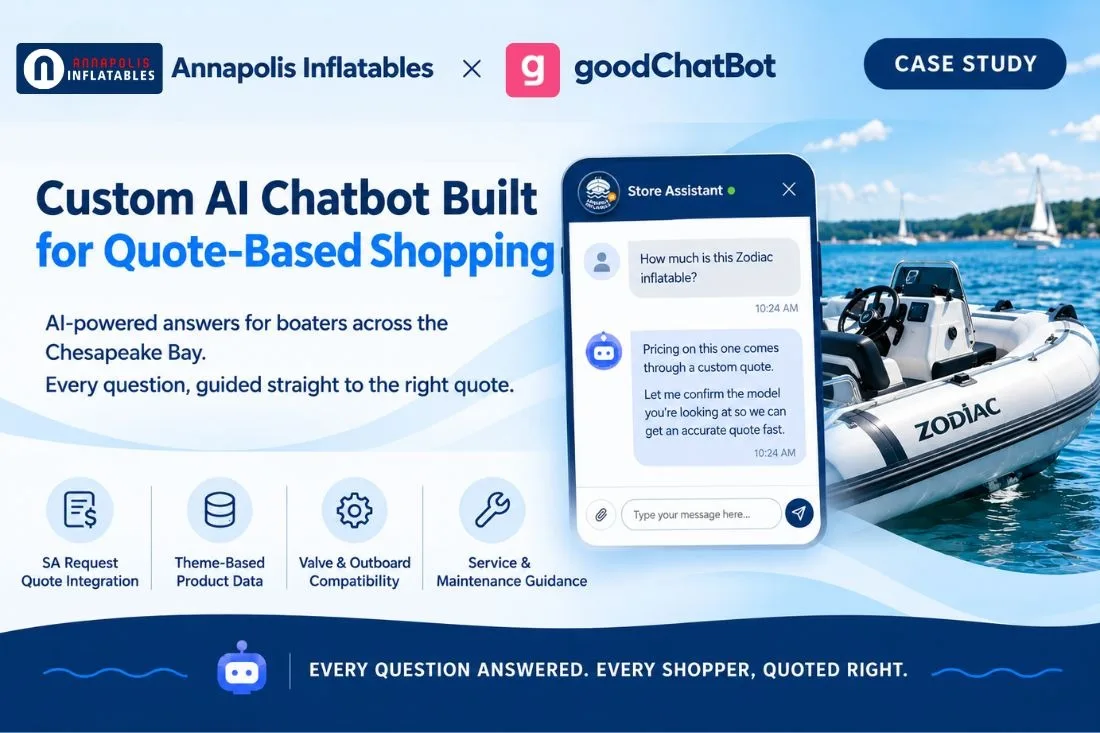
goodChatBot is now live on Annapolis Inflatables. The deployment is a useful example of how a Shopify AI chatbot works on a store where no product shows a price. Every purchase starts with a quote request, and most shoppers have technical questions they want answered before they send one.
Table of Contents
About Annapolis Inflatables
Annapolis Inflatables serves boaters in the Chesapeake Bay region with inflatable boats, outboard motors, parts, and professional servicing. Shoppers arrive with very different goals. Some are choosing a boat, some are pairing a boat with an outboard, some need a compatible part, and some need their boat repaired or maintained.
That range makes for a strong storefront. It also means the questions that come in are rarely simple.
Why a Standard Shopify Chatbot Would Have Been Limited Here
Three features of this store shaped the setup.
No product shows a price. Annapolis Inflatables uses the SA Request Quote app, which hides prices across the store and replaces the standard purchase button with a Request a Quote option on every product. There is no listed price for a chatbot to repeat. A generic ecommerce AI chatbot asked "how much is this boat?" has two bad options: say nothing useful, or guess. The right response is to confirm the product and move the shopper into a quote request for that exact item.
Much of the product data lives in the theme. Many product details on the site are stored in the Shopify theme rather than in standard product fields. A chatbot limited to default product data would miss specifications that shoppers ask about.
Many questions happen before the product decision. Shoppers ask about valve compatibility, maintenance, choosing an outboard, and servicing. Those answers live on service pages and in blog guides, not on product pages. It's a similar problem to what we covered in our piece on how goodChatBot's Year Make Model integration helps shoppers find the right fit, just solved here through theme data and blog content instead of a fitment file.
What goodChatBot Was Trained On
As an AI shopping assistant, goodChatBot was trained on the full body of content that Annapolis Inflatables shoppers rely on:
-
Product information pulled from the store theme
-
Service pages covering repairs and maintenance
-
The blog library, including guides on Zodiac models, outboards, inflatable boat maintenance, and NeverSoft valve compatibility
The blog content matters as much as the catalog. It lets goodChatBot answer the "which one and why" questions that come before a quote request, rather than acting only as a product finder.
All of this runs on top of goodChatBot's connection to Shopify's MCP Server, the same real-time data layer that powers every goodChatBot deployment. goodChatBot’s custom integration options make it possible to add the SA Request Quote and theme integrations on top, rather than working from a static export of the catalog. This kind of proper, store-specific integration and training is exactly what separates a working setup from the kind of AI chatbot project that quietly fails, something we cover in our piece on why so many AI chatbot projects fail to deliver.
Three Customizations That Made It Work
1. SA Request Quote Integration
This is the integration that defines the deployment. SA Request Quote hides product prices on the Annapolis Inflatables store and shows a Request a Quote option on every product instead of an add to cart button. Every sale begins with a quote request.
Without a connection to that app, a chatbot would treat the store like any other Shopify catalog and look for prices that are not there. Connecting goodChatBot to SA Request Quote lets it work with the store's actual buying process. When a shopper asks what something costs, goodChatBot explains that pricing is provided by quote, confirms which product the shopper wants, and guides them to submit the quote request for that item.
This does three things for the business:
-
Price questions become leads. The question most likely to end a visit now starts a sales conversation.
-
Quote requests arrive for the right product. Because goodChatBot confirms the item first, the team receives requests they can act on.
-
No invented prices. goodChatBot follows the same rule as the storefront. Prices stay hidden, and pricing comes from the team through the quote.
2. Theme-based product information
Since much of the store's product data sits in the theme, goodChatBot was connected directly to it. That lets the chatbot answer questions about product details using the same information shoppers see on the site, instead of relying on incomplete default product fields.
For a store where specifications drive the buying decision, this is the difference between an accurate answer and a vague one.
3. Shopify catalog and search improvements
Based on the kind of questions customers were asking, the goodChatBot team also suggested some updates to products, policies, and market settings in Shopify Admin. For example, people were using acronyms for boat models, like "CL" for Classic, so the team suggested adding those as tags to the relevant products, so that Shopify search is able to find them too.
How It Plays Out With Shoppers
A shopper asks about price. goodChatBot explains the quote process, confirms the product, and guides the shopper to submit a quote request.
A shopper asks a compatibility question. goodChatBot answers using the store's own valve compatibility and product guides, then points the shopper to the relevant product and the next step toward a quote.
A shopper needs service. goodChatBot draws on the service pages to explain what Annapolis Inflatables offers and how to get started.
Before and After goodChatBot
Before: A shopper who saw no price had to find the Request a Quote button, email, or call. Anyone with a technical question had to search the blog or wait for a reply. Each unanswered question created additional friction before the shopper reached the quote stage.
After: As a form of 24/7 AI customer support, shoppers get answers in the chat window, drawn from the store's own product data, service pages, and guides. When they are ready, goodChatBot moves them straight into a quote request for the right product. The team spends less time on repeat questions and receives quote requests that are already clear. See our full breakdown of what makes a Shopify AI chatbot actually effective for more on the capabilities behind a setup like this one.
What This Case Study Shows
An AI chatbot for Shopify does not need visible prices to drive sales. On a quote-based store, its job is to answer questions accurately, confirm what the shopper actually needs, and deliver that shopper into the quote process. That only works when the chatbot is connected to the systems that hold the real data: in this case, the theme and SA Request Quote.
This approach fits stores that:
-
Hide prices and sell through quote requests
-
Store product details in the theme or custom fields
-
Offer services alongside products
-
Have shoppers who need technical guidance before they buy
This same idea, confirming exactly what a shopper needs before price or anything else enters the conversation, is close to what we covered in our Trail Armor case study, where chatbot for business had to resolve real compatibility questions before a shopper could be pointed to the right product at all.
The broader lesson is that the chatbot should adapt to the merchant's sales process and not force every Shopify store into the same add-to-cart journey.
A Chatbot That Learns From the Team's Corrections
goodChatBot includes a feedback loop that lets the Annapolis Inflatables team improve its answers over time. If a response is not quite right, an admin can review it in the Inbox and provide the answer they would have preferred. That correction is added to goodChatBot's knowledge so it can inform future answers to similar questions
Final thoughts
Annapolis Inflatables shows how a Shopify chatbot integration can support a store that does not follow the standard add to cart model. With goodChatBot trained on the store's content and connected to SA Request Quote, shoppers get their questions answered and a clear path to a quote at any hour.
If your Shopify store sells through quotes, relies on theme-based product data, or fields technical questions every day, contact our team to see how goodChatBot by Automatikly can support your store.
Frequently Asked Questions
Can goodChatBot work on a Shopify store that hides prices?
Yes. Annapolis Inflatables uses SA Request Quote to hide prices and show a Request a Quote option on every product. goodChatBot is connected to that app, so price questions lead to a quote request for the correct product instead of a dead end.
What does the SA Request Quote integration do?
It connects goodChatBot to the SA Request Quote app, which replaces prices and add to cart buttons with quote requests. When a shopper asks about pricing, goodChatBot confirms the product and guides the shopper to submit a quote request.
Why did goodChatBot need theme integration?
Much of Annapolis Inflatables' product data is stored in the Shopify theme. The theme integration lets goodChatBot read that data so its answers match what shoppers see on the site.
What content was goodChatBot trained on?
Product data from the theme, the store's service pages, and its blog library, including guides on Zodiac models, outboards, boat maintenance, and NeverSoft valve compatibility.
Which stores benefit most from this setup?
Stores that hide prices and sell through quotes, stores with product details in the theme or custom fields, and businesses that sell services alongside products. These stores benefit most when the chatbot is trained around their actual sales process rather than deployed as a generic plug-and-play assistant.