Data Sources
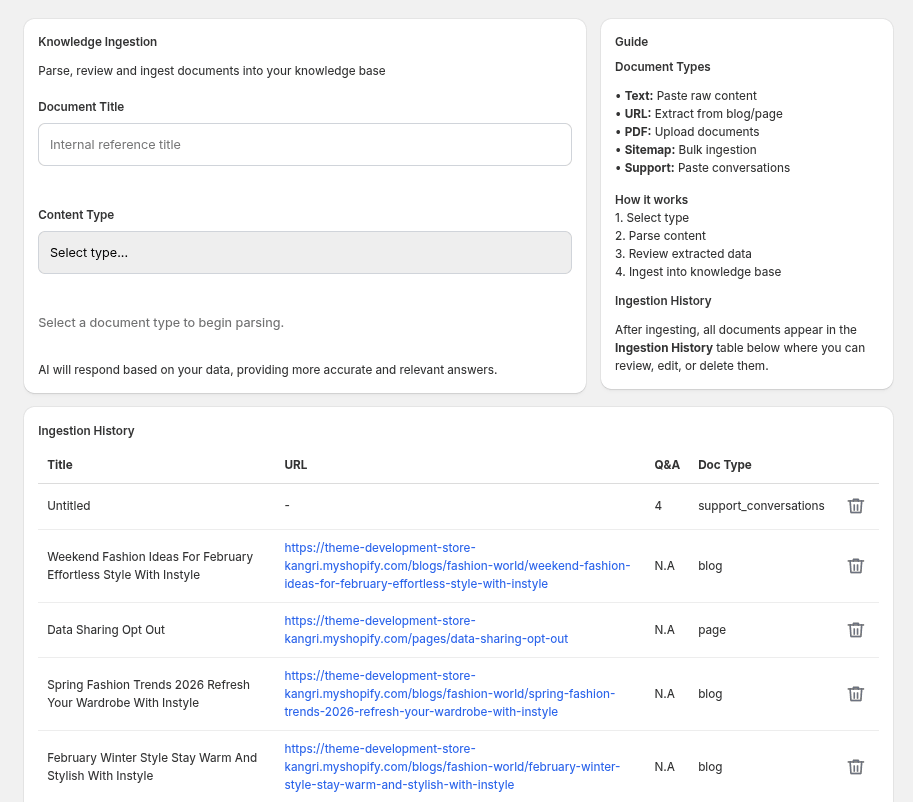
Where you teach the AI about your store: parse content from any source, review it, and add it to the knowledge base.
Knowledge Ingestion Basics
-
Document Title: An internal reference title so you can identify the source later in the Ingestion History table.
-
Content Type: Choose the format of the content you're adding before parsing it.
Supported Content Types
-
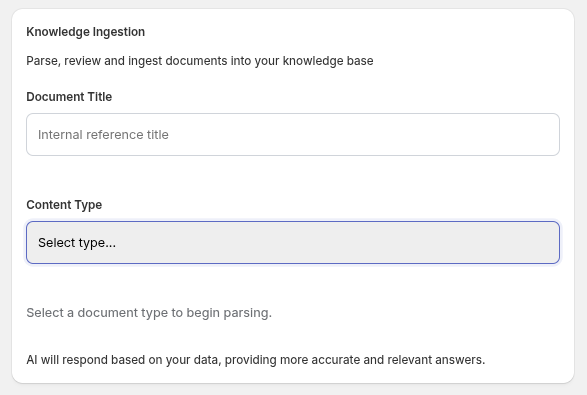
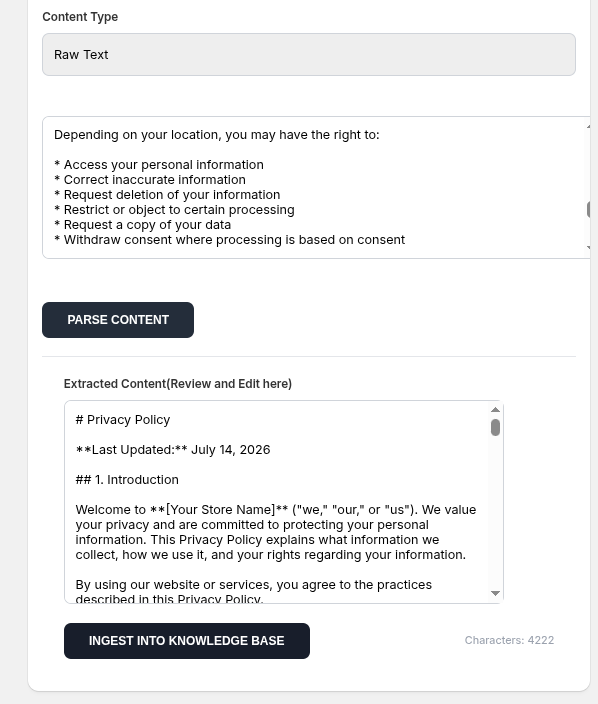
Raw Text: Paste content directly into a text box.
-
Blog URL: Provide a link and the app extracts the article content automatically.
-
PDF File: Upload a PDF document for parsing.
-
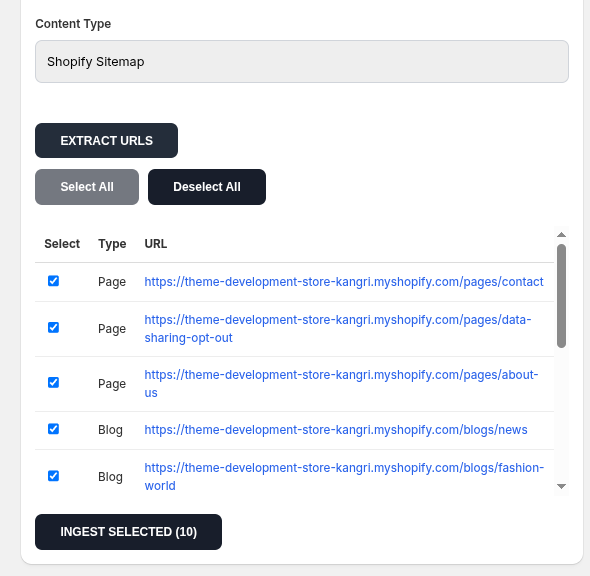
Shopify Sitemap: Extract every page and blog URL from your store's sitemap, then choose exactly which ones to ingest.
-
Support Conversation: Paste a past support conversation as raw text.
-
Support Conversation (CSV Import): Bulk-import historical support conversations from a CSV file (shown only when CSV import is enabled).
Sitemap Bulk Ingestion
-
Extract URLs: Pulls all page and blog URLs from your sitemap into a selectable list.
-
Select All / Deselect All: Quickly toggle every discovered URL on or off.
-
Ingest Selected: Ingests only the checked URLs, with a live progress bar showing percentage complete.
Review & Edit Before Ingesting
-
Extracted Content: Every parsed source (except CSV imports) opens in an editable text area so you can correct or trim it before it enters the knowledge base. A live character count is shown.
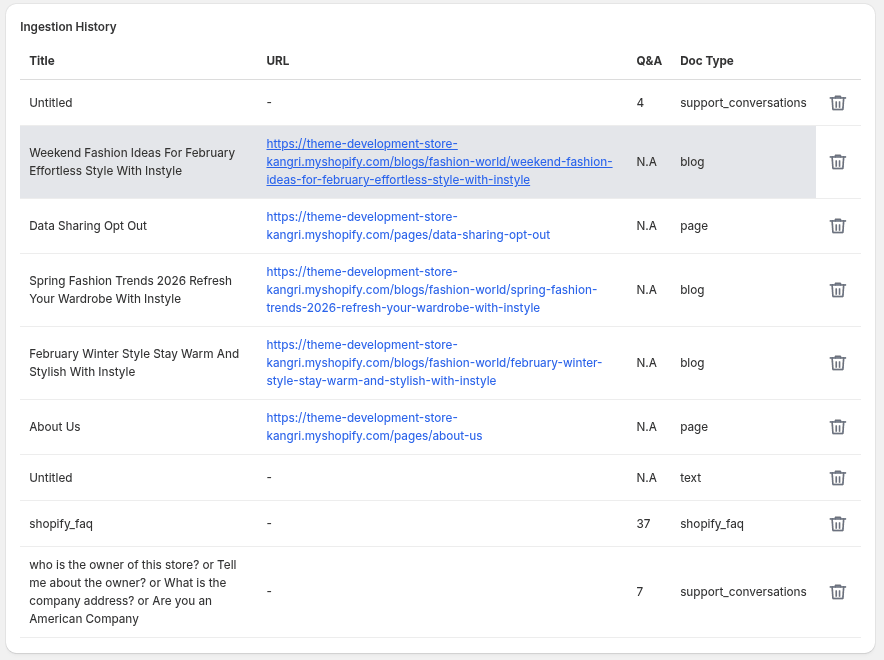
Ingestion History
-
History Table: Lists every ingested document with its title, source URL, Q&A count (for support conversations), and document type.
-
Review, Edit & Delete: Click a row to open its content - as editable document chunks for pages/blogs/text, or as individual Question & Answer pairs for support conversations - and update or delete entries as needed.