

Inbox
The live conversation workspace - read chats, see customer context, and reply as the assistant or as a human agent.
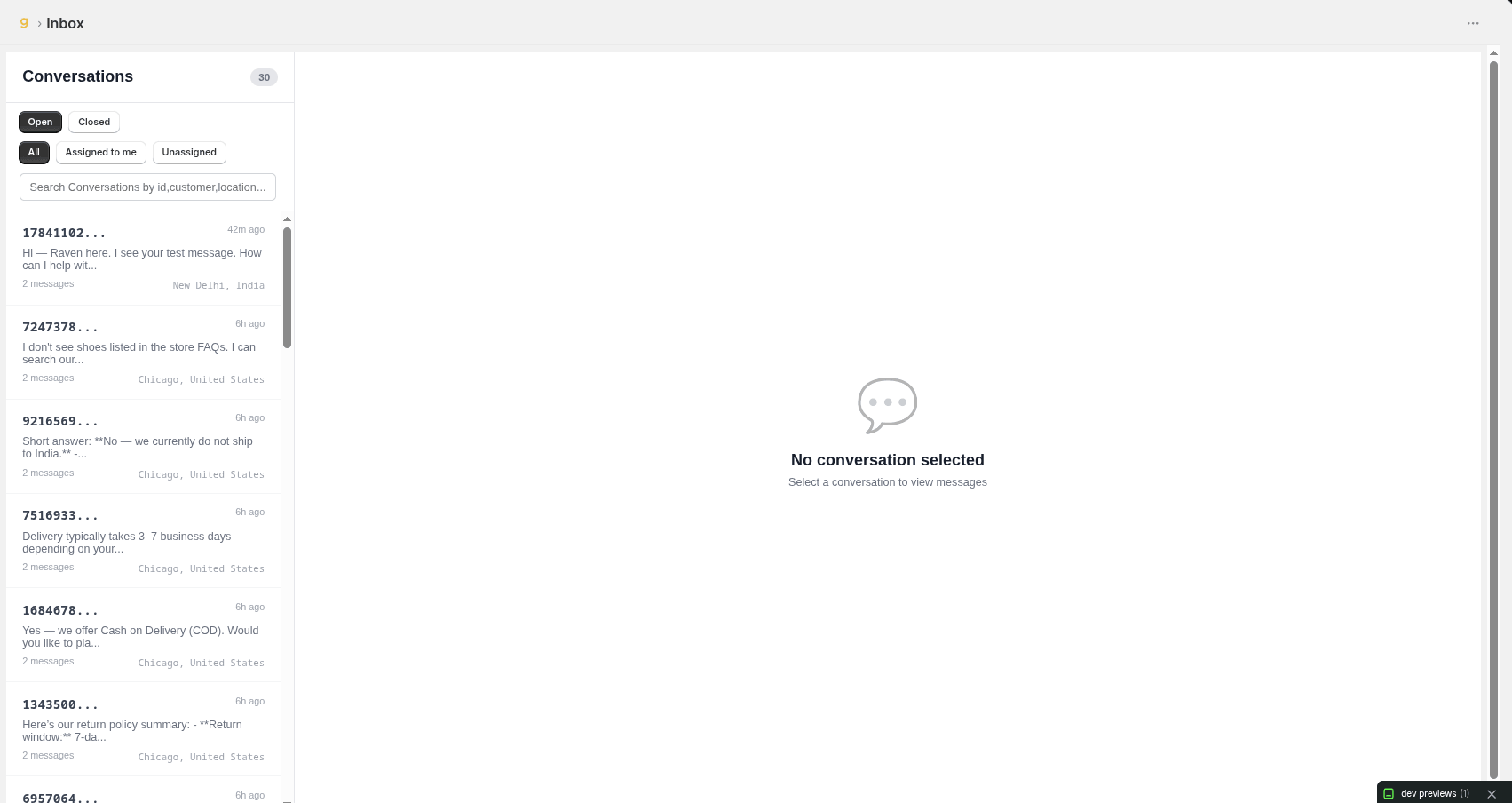
Conversation Header

-
Customer Identity: Shows the customer's name (or "Visitor" plus a conversation ID for guests), email, and location.
-
Online / Offline Indicator: A colored dot and label show whether the customer is currently online, offline, or the status is still being checked.
-
Admin Link: Only on Stand alone conversation page opens the same conversation directly inside the Shopify Admin app in a new tab.

Managing a Conversation
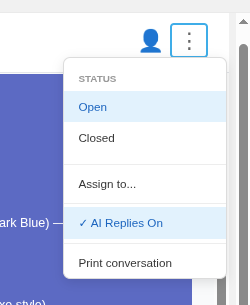
-
Status: Mark a conversation Open or Closed from the ⋮ menu.
-
Assign to Staff: Assign the conversation to a specific team member, or leave it Unassigned, from the assignment popup.
-
AI Replies On/Off: Toggle automated AI responses for this specific conversation without affecting the rest of the store.
-
Print Conversation: Generate a printable copy of the full chat thread.
Customer Profile Panel
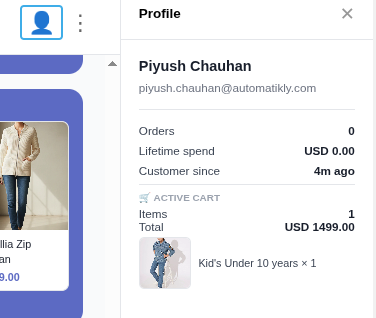
-
Shopify Details: Name, email, phone, and shipping address pulled directly from the customer's Shopify record.
-
Order Stats: Total number of orders, lifetime spend, and how long they've been a customer.
-
Last Order: Order number, total, payment status, fulfillment status, and line items - links straight to the order in Shopify Admin.
-
Active Cart: Items and total currently sitting in the customer's cart, if any.
-
Conversation Summary: An AI-generated summary of the conversation so far, for quick context when taking over from the bot.
Replying to Customers
-
Text Replies: Type and send a reply as the assistant directly from the reply box.
-
Image & Video Attachments: Attach and send images or short videos alongside your reply, with an inline preview before sending.
-
Offline Fallback: If a customer is offline and has an email on file, replies are sent via email instead of live chat; if no email is on file, sending is disabled until one is available.
